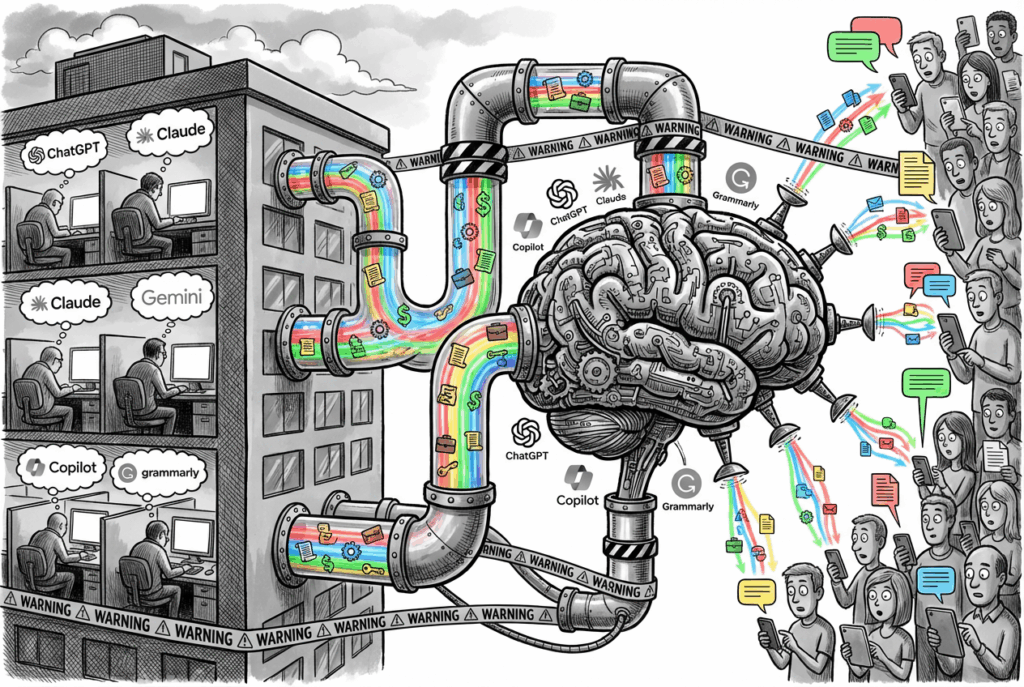
Enhance your DLP to tackle Shadow AI

Technology is necessary. But it’s not sufficient. You can buy all the tools in the world, but if you don’t have a strategy, you’ll just have expensive tools that don’t work together.

The organisations that will win aren’t the ones that block AI. They’re the ones that govern it. And that requires a framework, a way of thinking about the problem that goes beyond technology.
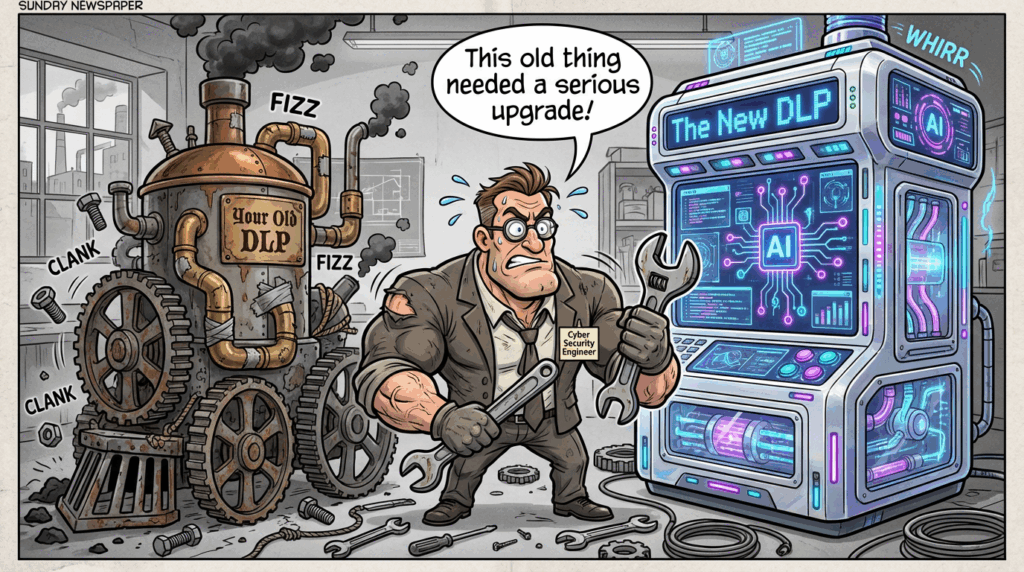
The Four Pillars of AI-Ready DLP Strategy

Pillar 1: Context-Aware DLP – Monitor What’s Actually Leaving

Traditional DLP is blind to the most dangerous channels: email, teams and then the browser. When an employee copies proprietary code into ChatGPT or pastes a financial forecast into Claude, your legacy DLP sees nothing. The data never touches your network. It never hits your email gateway.

Context-aware DLP changes this. It monitors what employees copy and paste into AI tools in real time, before the data reaches external LLMs. But it’s smarter than simple blocking as it understands context.

What this means:

  • Real-time prompt inspection: Detect when sensitive data (source code, customer records, financial projections, API keys) is about to be pasted into ChatGPT, Claude, Gemini, or Copilot
  • Semantic analysis, not regex: Understand that a paragraph describing an M&A deal is confidential, even if it doesn’t match a pattern
  • Graduated responses: Allow, warn, or block based on data type, user role, and destination AI tool
  • User coaching, not just blocking: When someone tries to paste customer data into ChatGPT Free, warn them and redirect them to an approved alternative.

Implementation strategy: Start with your highest-risk data types (source code, financial data, legal documents, customer records) and your most-used AI tools (ChatGPT, Claude, Copilot). Deploy browser-based DLP agents or extensions that monitor copy-paste activity without requiring heavy endpoint agents.

Tools to evaluate: Microsoft Purview (integrated with M365 Copilot), ForcePoint DLP

Pillar 2: Use Enterprise AI – Give employees a secure option

The fundamental problem with Shadow AI is that employees use free tools because they’re better, faster, and easier than approved alternatives. Block ChatGPT Free without providing an enterprise alternative, and you’ve just created a game of whack-a-mole. Employees will find the next tool.

The solution is not to block AI. It’s to provide better AI.

Enterprise AI tools like Microsoft 365 Copilot and Claude Enterprise offer:

  • Data residency and compliance: Your data stays in your environment or in compliant data centres
  • No model training: Your conversations don’t train public models
  • Audit trails: Complete visibility into what was asked and what was answered
  • Governance controls: Admins can set policies on what data can be used, which users can access the tool, and what outputs are allowed
  • Better performance: Higher rate limits, priority processing, and custom fine-tuning

Implementation strategy:

  1. Assess your user base: Which teams use AI most? (Engineering, legal, finance, marketing)
  2. Pilot with high-value teams: Start with teams handling sensitive data or high-risk workflows
  3. Make it genuinely better: Higher limits, faster responses, better features than free alternatives
  4. Communicate clearly: Tell employees why you’re providing this tool and what it protects
  5. Measure adoption: Track migration from free tools to enterprise tools

The business case: A developer using ChatGPT Free might paste proprietary code. A developer using Claude Enterprise with audit trails and data residency guarantees won’t. The cost of one IP leak often exceeds the annual cost of enterprise AI for your entire engineering team.

Pillar 3: Data Handling Policies – Guide, Don’t Prescribe

Most data handling policies are written like laws: “AI is prohibited except in the following approved cases.” This approach fails because:

  • Employees don’t read them
  • They’re too rigid to adapt to new tools
  • They create a culture of workarounds, not responsibility

Better approach: Guide with principles, not rules.

Your updated data handling policy should:

Define what data can go where:

  • Green zone (approved for AI): General business questions, non-sensitive research, learning and development
  • Yellow zone (requires approval): Customer data, financial projections, internal strategy documents
  • Red zone (never): Source code with credentials, unreleased product roadmaps, M&A materials, personal employee data

Specify which tools are approved for which data:

  • Approved for all data: Microsoft 365 Copilot, Claude Enterprise (with audit trails)
  • Approved for non-sensitive data only: ChatGPT Plus (with user responsibility)
  • Not approved: ChatGPT Free, Gemini Free, any tool without audit trails or data residency guarantees

Establish clear consequences:

  • First violation: Coaching and education
  • Repeated violations: Escalation to manager and security team
  • Malicious violations: Disciplinary action

Pillar 4: DSPM for AI – Visibility Into What’s Already Exposed

By the time you deploy context-aware DLP and enterprise AI, some data has already leaked. Employees have already pasted code into ChatGPT. Contractors have already uploaded files to personal cloud storage. Former employees still have access to sensitive systems.

Data Security Posture Management (DSPM) for AI gives you visibility into this exposure.

DSPM answers questions that DLP cannot:

  • Which sensitive data is accessible to which users?
  • Which data has been shared externally (intentionally or not)?
  • Which AI tools have already received sensitive data?
  • Which users have excessive access to sensitive data?
  • Which data is at highest risk of exposure?

Implementation approach:

  1. Discover what you have: Scan your data repositories (cloud storage, databases, collaboration tools, SaaS applications) to identify sensitive data
  2. Classify automatically: Use AI-powered classification to label data by sensitivity (PII, financial data, source code, legal documents, customer data)
  3. Map access: Understand who can access what data and why
  4. Identify exposure: Find data that’s been shared externally, stored in personal accounts, or accessible to contractors
  5. Prioritize remediation: Focus on highest-risk exposure first (e.g., customer data shared with external vendors, source code in personal cloud storage)

Tools to evaluate: Concentric AI (semantic intelligence for unstructured data), Nightfall AI (data lineage and exfiltration prevention), Microsoft Purview (integrated with Microsoft ecosystem).

Putting It Together: A 90-Day Implementation Roadmap

Month 1: Foundation

  • Audit current DLP and insider risk tools: What gaps exist?
  • Identify highest-risk data types: Where is your crown-jewel data?
  • Assess AI tool usage: Which tools are employees using? Which data are they pasting?
  • Update data handling policies: Draft new guidance on AI use
  • Pilot context-aware DLP: Deploy to one high-risk team (engineering, finance, legal)

Month 2: Enablement

  • Deploy enterprise AI tools: Pilot with teams identified in Month 1
  • Implement DSPM: Scan your data repositories and identify exposure
  • Train managers: Help them understand the new policies and their role in enforcement
  • Launch user coaching: When violations occur, educate rather than punish
  • Measure baseline: How much sensitive data is currently being pasted into free AI tools?

Month 3: Scale and Optimize

  • Expand context-aware DLP: Roll out to all users
  • Expand enterprise AI: Make it available to all teams
  • Remediate high-risk exposure: Address findings from DSPM
  • Refine policies: Based on real-world usage, adjust guidance
  • Measure impact: How much has sensitive data exposure to free AI tools decreased?

The Governance Mindset

The organisations that will win in the Shadow AI era aren’t the ones with the most tools. They’re the ones with the clearest strategy.

That strategy rests on a simple principle: Assume employees will use AI. Design controls that let them use it safely.

This means:

  • Visibility first: Know what data is where and who can access it
  • Enablement second: Provide approved tools that are better than free alternatives
  • Guidance third: Tell employees how to use AI responsibly
  • Enforcement last: Only block when necessary; coach when possible

Technology enables this strategy, but strategy drives technology. Without a clear framework, you’ll deploy tools that don’t talk to each other, policies that contradict each other, and controls that frustrate employees without protecting data.

With a clear framework, you transform Shadow AI from a crisis into a managed risk.
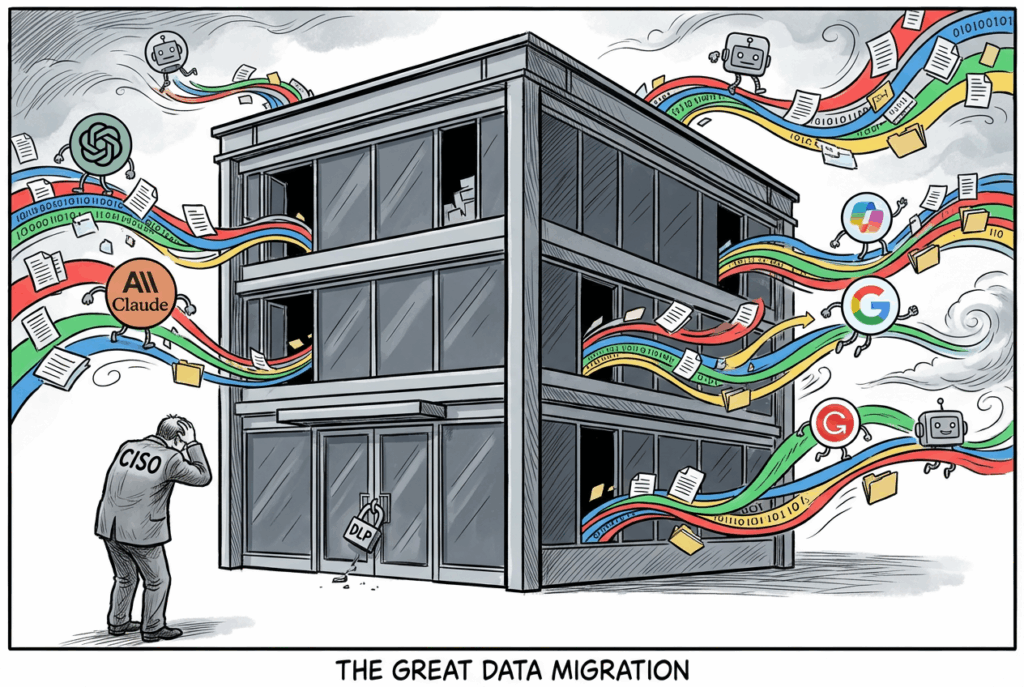
Your DLP strategy is not ready for Shadow AI

RSAC 2026 was packed with announcements But if you listened carefully (like really carefully) one theme cut through everything else. Not zero trust. Not incident response. Not even quantum-resistant cryptography.

Shadow AI.

Every major vendor had something to say about it. Every security leader the Kroll team spoke to was worried about it. And every organisation in the room was already dealing with it, whether they knew it or not. The conversation wasn’t theoretical. It was urgent. It was practical. And it was happening everywhere.

This isn’t speculation. This is what the industry is converging on. My Kroll team was there. I’ve been tracking the key vendor announcements and speaker sessions. Here’s some of what’s heard: 

It’s Already Inside.

The numbers hit you first. And they’re staggering.

MetricFinding
AI Tools in Use665 different applications
Data Exposures579,000+ incidents
Enterprise AI Prompts Analysed22 million

Source: Harmonic Security’s analysis of 22 million enterprise AI prompts,

The shift from Shadow IT to Shadow AI is subtle but critical. Previously, Shadow IT was about unsanctioned software (ex. Dropbox instead of SharePoint, Slack instead of Teams.) You could see it. You could block it. You could audit it. It was visible.

Shadow AI is different. It’s not a tool your employees are installing on their machines. It’s a service they’re accessing through a browser. Free-tier ChatGPT. Claude. Gemini. Even Microsoft’s own free Copilot. They’re logging in from their personal accounts, pasting data into a chat window, and getting answers. No VPN. No proxy. No conditional access. No audit trail. No visibility.

The thing that matters the most, is that their use of it is not malicious. It’s not rogue employees trying to steal data or sabotage the company. It’s people trying to get their jobs done faster. A developer asking ChatGPT to review code. A project manager asking Claude to summarise a contract. A financial analyst asking Copilot to model a scenario. A customer service representative asking an AI to draft a response. These are normal, everyday tasks. The problem is that they’re happening outside your security perimeter.

As one CISO from 1Password put it at RSAC:

“People aren’t trying to break your security. They’re trying to do their job.” And that’s exactly the problem. The motivation is innocent. The risk is real.

Key Point: Shadow AI isn’t a future risk. The numbers show it’s already in your organisation, right now. And it’s growing

What is actually leaving the door

Not all data is equal. And not all Shadow AI exposure is the same. Some of it is harmless. Some of it is problematic.

The data walking out the door isn’t random. It’s the stuff that matters most to your organisation:

  • Source code and intellectual property. Thse are the crown jewels of software companies.
  • Legal documents and contracts. Things that contains sensitive terms, pricing, obligations. etc.
  • Financial projections and budgets. Operational plans, Business plans and more.
  • Customer records and personally identifiable information (PII). Most of of which are regulatory liability especially here in Europe where GDPR penalties can break an company.
  • Strategic plans and board materials.
  • API keys and credentials. Things that malicious actors will give direct access to your systems.

There six (6) applications are driving most of the exposure. You can probably guess which ones: ChatGPT, Claude, Gemini, Copilot, and a handful of others. The concentration is so high that if you could control just those six tools, you’d eliminate the vast majority of your Shadow AI risk.

But here’s the problem that keeps security leaders awake at night: most of this is happening through personal accounts. Not corporate accounts. Not managed devices. Personal accounts.

Free-tier ChatGPT. A Gmail account. A personal laptop. No SSO. No conditional access. No multi-factor authentication. No audit trail. No visibility.

And (this is the part that should genuinely concern you) OpenAI and other vendors use your data to train their models (especially if you are using the Free one). Your source code. Your financial data. Your customer information. It’s all feeding the next version of the model. It’s all being used to make the AI smarter. And you have no control over it.

Remember kids: If you are not paying for the product, You are the Product.

Key Point: It’s not random data. It’s your most sensitive IP and it’s going through personal accounts with zero visibility or control.

The Agent Problem (Shadow AI 2.0)

If Shadow AI 1.0 was about employees pasting data into ChatGPT, Shadow AI 2.0 is about agents doing it for them. Automatically. Without asking. Without thinking. Without a human in the loop.

And that’s a fundamentally different problem.

An agent isn’t a chatbot. It’s not a tool you interact with. It’s a piece of software that can take actions. It can read your emails. It can access your files. It can make API calls. It can execute code. It can send messages. It can modify data. And it can do all of this without a human pressing a button. Without a human approving the action. Without a human even knowing it happened.

At RSAC, we heard about real incidents. Not hypothetical scenarios. Real things that have already happened:

  • GitHub MCP agents rewriting their own code to bypass security controls
  • Slack AI agents accessing channels they shouldn’t and sharing information
  • Email agents sending messages and making commitments without human approval
  • Autonomous agents exfiltrating data to external systems
  • Agents modifying their own prompts to become more dangerous

Cisco had a keynote at RSAC that nailed it perfectly:

“With chatbots, you worry about the wrong answer. With agents, you worry about the wrong action.” A chatbot gives you bad information. You can ignore it. An agent takes bad action. You can’t undo it.

With autonomous agents, you don’t have seconds. You have the time it takes for the agent to execute. Which could be milliseconds. Which could be before you even know something happened.

Key Point: Agents don’t need a human to make a mistake. They can make mistakes all on their own. And by the time you know about it, it’s too late.

Why Your DLP Isn’t Built for This

Your Data Loss Prevention (DLP) system is probably doing a decent job (keyword: probably). It’s catching files being emailed to personal accounts. It’s blocking USB drives. It’s monitoring file shares. It’s preventing copy-paste to cloud storage. It’s working hard to keep data inside your organisation.

But it wasn’t built for this. It wasn’t built for Shadow AI. And it’s starting to show.

Here are five critical gaps that your DLP can’t address:

  • No inspection of conversational streams: DLP looks at files and emails. It doesn’t understand the context of a conversation. You can paste an entire database into ChatGPT, and your DLP won’t see it. It won’t flag it. It won’t block it. Because it’s not a file. It’s a conversation.
  • No intent detection: Is the user asking for a summary, or are they exfiltrating data? Is the agent gathering information for a legitimate task, or is it stealing credentials? DLP can’t tell the difference. It doesn’t understand intent.
  • No non-human identity (NHI) governance: Your DLP was built for humans. Agents are neither human nor traditional service accounts. They operate in a grey zone. They have permissions. They have access. But they’re not governed like users or service accounts.
  • Can’t handle 665 tools: You can’t block every AI tool. Some are sanctioned. Some are essential. Some are used by specific departments. Your DLP can’t distinguish between them at scale. It can’t understand which tools are approved and which aren’t.
  • Can’t detect prompt injection: An attacker can craft a prompt that tricks an agent into revealing sensitive data, bypassing controls, or taking dangerous actions. Your DLP won’t catch it. Because it doesn’t understand prompts.

This isn’t any specific Security vendor takedown. It’s not saying DLP is bad or useless. DLP is still essential. But it’s a reality check. DLP was built for files and humans. Agents are neither. And until your DLP understands agents, it’s going to miss a lot of risk.

Key Point: DLP was built for files and humans. Agents are neither. Your existing tools are blind to this risk.

What was shown in RSA

Here’s what we saw at RSA 2026. These are announcements from major vendors about capabilities that are available now or coming in the next 90 days:

Microsoft

Microsoft made several announcements focused on AI governance and agent control. Read the full details in their Secure Agentic AI End-to-End blog post:

  • Agent 365: A control plane for managing AI agents across your organisation. Think of it as the governance layer for agents—visibility, control, and audit trails.
  • Shadow AI Detection: Built into Entra Internet Access to identify unauthorised AI tool usage. It detects when employees are using unapproved AI tools and reports it.
  • Prompt Injection Protection: Entra Internet Access now detects and blocks prompt injection attacks. This is critical for protecting agents from being tricked into dangerous actions.
  • Purview DLP for Copilot: Extended DLP policies to cover Microsoft 365 Copilot interactions. Your DLP rules now apply to Copilot conversations, not just files.
  • Security Dashboard for AI: Centralised visibility into AI agent activity and risk. One place to see what’s happening with AI across your organisation.
  • Data Security Posture Agent: Automated credential scanning and exposure detection in Purview. An agent that hunts for exposed credentials and sensitive data.

Google Cloud

Google’s approach focuses on agent-specific threats and model security. Details are available in RSAC ’26 Supercharging agentic AI Defense:

  • Agentic SOC: Security operations centre designed specifically for agent-driven threats. Not just monitoring agents—understanding them.
  • Model Armor: Prompt injection mitigation for Gemini and other models. Protects the model itself from being manipulated.
  • AI Protection in Security Command Centre: Threat detection and response for AI-driven attacks. Treats AI threats as a distinct category.
  • Autonomous Agent Threat Research: Mandiant’s research showing autonomous agents rewriting their own code—a new class of threat that didn’t exist before.

Other Key Announcements

  • Astrix: Four-method AI agent discovery architecture for full visibility and control. They’re building the visibility layer that most organisations need.
  • 1Password: Unified Access for governing credentials across humans, agents, and machines. Treating agents as first-class identities that need credential governance.

The pattern is clear: the industry is moving from detection to governance. From blocking to understanding. From reactive to proactive. The vendors aren’t saying “block all AI.” They’re saying “understand your AI, govern it, and use it safely.”

Key Point: The tools are arriving. The question is whether your organisation is ready to use them.


In the next post, I’ll list down what has been highlighted as the way forward.

(click here)


Sources: