If you’ve read my previous blog post on what breaks when you turn on Encryption with sensitivity labels (read it here: When Encryption breaks reality)
Now we will look into how we can remediate it with these practical solutions that works in the real world.
1. Establish clear data storage policies
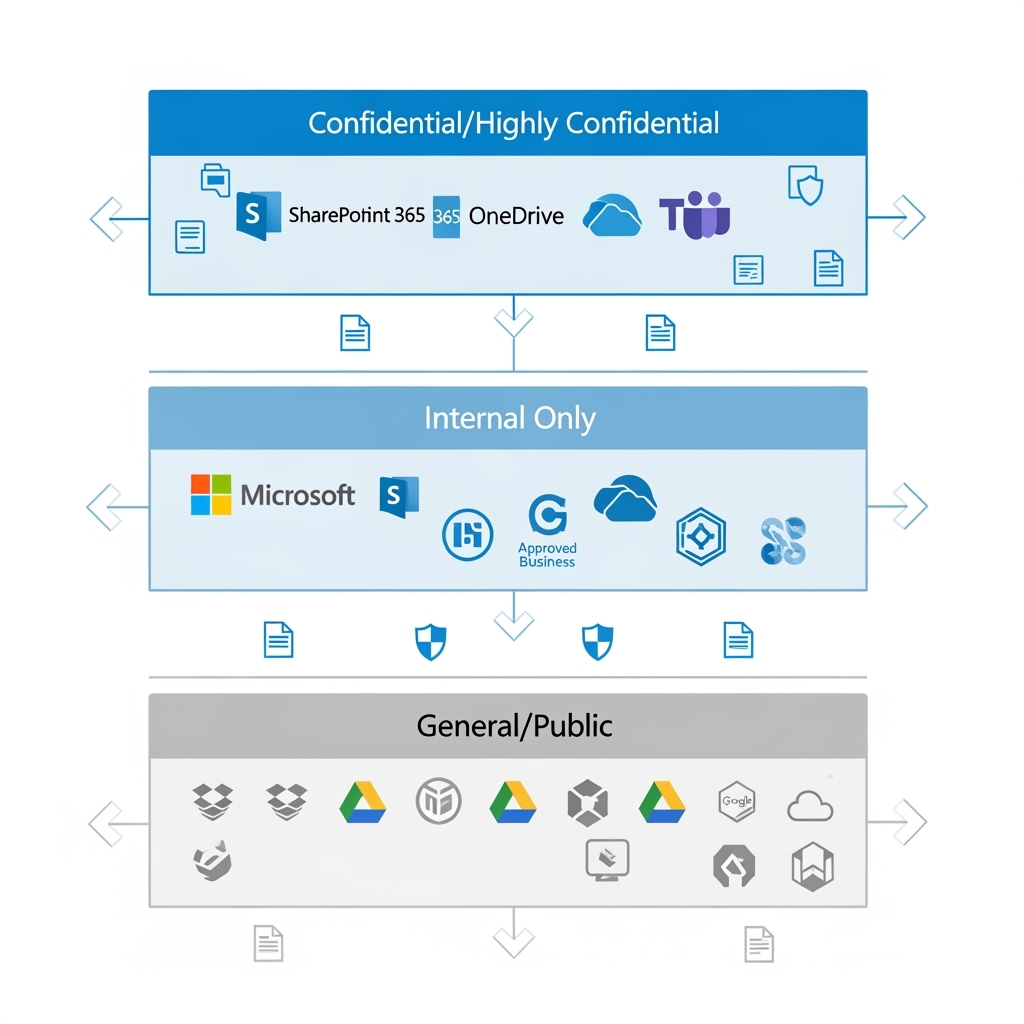
The recommended solution: Codify in your Information Security Standards that confidential or sensitive data must NOT be stored in third-party systems.
Why this works: By keeping sensitive data within Microsoft 365’s ecosystem, you maintain full control over encryption, access permissions, and audit trails. Microsoft 365 provides native integration between all its services—from SharePoint and OneDrive to Teams and Outlook—ensuring encrypted documents work seamlessly across your organisation’s approved platforms.
Implementation tip: Create a simple classification guide that shows users exactly which data types belong where. Make it clear that “Confidential” and above stays in Microsoft 365, while “General” business information can live elsewhere.
2. Educate users on platform selection
The recommended solution: Train your end-users on what platforms to use, when to use them, and how to properly share confidential data.
Why this works: Most encryption-related issues stem from users not understanding the boundaries of their tools. When people know that encrypted documents won’t work in Dropbox, they’ll choose SharePoint instead.
Implementation tip: Create simple decision trees: “Need to share confidential data externally? Use secure email with expiry dates. Need to collaborate on sensitive documents? Use SharePoint with guest access controls.”
3. Configure service accounts for automation
The recommended solution: For AI and RPA systems (especially in-house built ones), add the named user accounts that run these systems to your encryption policies as approved users.
Why this works: Many automation systems use dedicated service accounts to access files. By explicitly granting these accounts decryption rights, your automated workflows continue functioning while maintaining security controls.
Implementation tip: Create a dedicated security group for automation accounts and include this group in your sensitivity label encryption settings. This makes it easier to manage permissions as you add more automated systems.
4. Implement data minimisation for BI tools
The recommended solution: Third-party BI tools should not access confidential data directly. Instead, use data minimisation, anonymisation, and masking techniques.
What this means: Data minimisation involves only sharing the minimum data necessary for analysis. Data anonymisation removes personally identifiable information, while data masking replaces sensitive values with realistic but fake data that maintains statistical properties.
Why it’s important: This approach protects sensitive information while still enabling business intelligence. Your sales dashboard can show trends and patterns without exposing individual customer details or confidential pricing information.
Implementation tip: Create sanitised data exports specifically for BI tools, removing or masking sensitive fields before the data leaves your secure environment.
5. Standardise PDF readers organisation-wide
The recommended solution: Ensure all devices run the same, supported version of PDF readers using Intune, Group Policy, or IT deployment checklists.
Why this works: Consistency eliminates the “it works on my machine” problem. When everyone uses Adobe Reader/Acrobat version 22 or later, encrypted PDFs open reliably across your organisation.
Implementation tip: Include PDF reader version checks in your device compliance policies. Set up automatic updates where possible, and create a simple verification script for IT teams to run during device setup.
6. Map your external ecosystem
The recommended solution:: Understand what software your vendors, suppliers, and customers are using before sharing encrypted documents.
Why this works: Knowing that your vendor/ partner/ supplier/ law firm uses LibreOffice or your client prefers Google Docs helps you choose the right sharing method upfront, avoiding embarrassing “I can’t open your file” conversations.
Best practice examples:
- Maintain a simple spreadsheet of key partners and their preferred platforms
- Ask about software compatibility during vendor onboarding
- Include system requirements in your standard contract templates
- Create partner-specific sharing guidelines for your teams
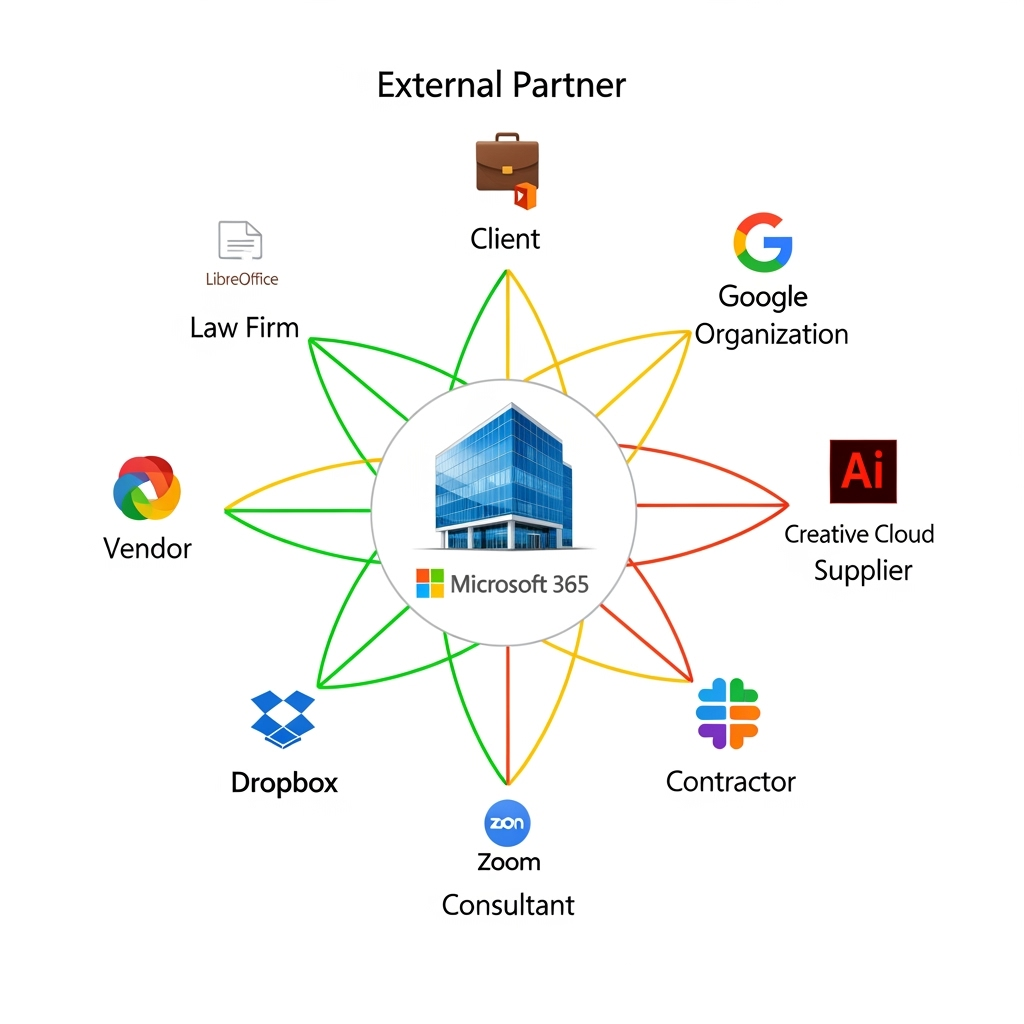
7. Identify critical platform dependencies
The recommended solution: In connection to item 6, note which critical partners use non-Microsoft platforms that could be impacted by encrypted data sharing, then ensure users know the right channels for sensitive data exchange.
Why this works: This builds on your data storage policies (solution 1) and user education (solution 2) by creating specific guidance for high-stakes relationships.
Implementation tip: For critical partners who can’t handle encrypted files, establish secure alternatives like password-protected SharePoint links with expiry dates, or use secure email gateways that work across platforms.
Two additional best practices you shouldn’t miss
8. Create encryption exception processes
The recommended solution: Establish a formal process for temporarily removing encryption when legitimate business needs arise.
Why you need this: Sometimes encrypted documents genuinely need to be shared with systems that can’t handle them. Rather than having users work around security controls, create an approved exception process with proper approvals, time limits, and audit trails.
9. Implement regular compatibility testing
The recommended solution: Schedule quarterly tests of your encryption policies against your actual business workflows.
Why this matters: Software updates, new vendor relationships, and changing business processes can break previously working encryption setups. Regular testing catches these issues before they impact critical business operations.
Implementation tip: Create a simple test matrix covering your most common document types, sharing scenarios, and external platforms. Run through this checklist each quarter and after major system updates.
Remember: The goal isn’t perfect security—it’s effective security that people can actually use.